
Following family and parenting news from the world
Provided by AGP
New versions of Pevac Video for Google Drive, Dropbox, and Discrete Pevac Video Drive are Now Available
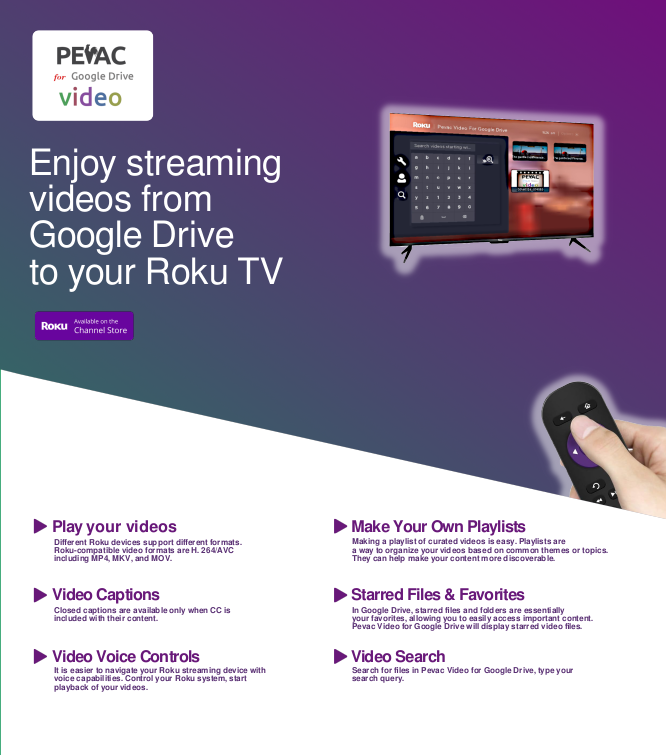
Pevac Videdo Google Drive Brochure
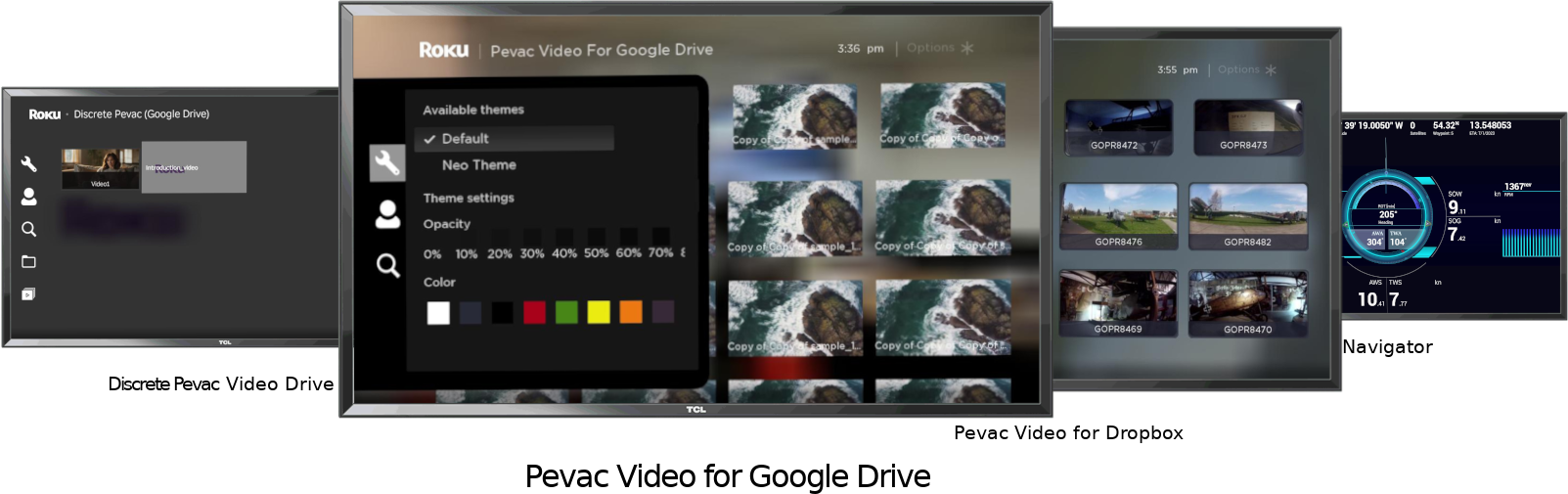
Pevac Roku apps
Pevac Video for Google Drive, Pevac Video for Dropbox, and Discrete Pevac Video Drive — available on the Roku Channel Store.
LOS ANGELES, CA, UNITED STATES, May 7, 2026 /EINPresswire.com/ -- Pevac DevOps, a pioneer in cloud-based video streaming technology, today announced the launch of its latest app updates — Pevac Video for Google Drive, Pevac Video for Dropbox, and Discrete Pevac Video Drive — available on the Roku Channel Store. These new releases empower users to stream their personal video collections directly from their preferred cloud storage services to their Roku devices, delivering a seamless, big-screen experience.New Ways to Enjoy Your Videos
Pevac Video for Google Drive & Dropbox: Access and stream videos stored in Google Drive or Dropbox with ease, using Roku’s intuitive interface.
Discrete Pevac Video Drive: A private, ad-free streaming solution for users who want a dedicated, secure video library on their Roku device.
Optimized for Roku: All apps are designed for smooth navigation and playback, ensuring a hassle-free viewing experience.
“Our mission is to make personal video streaming as simple and accessible as possible,” said Branislava Vuckovic, Project Manager at Framehouse Media/Pevac DevOps. “By bringing our apps to Roku, we’re giving users even more flexibility to enjoy their content on the devices they love. Whether it’s family videos, personal projects, or favorite clips, Pevac Video for Roku makes it easy to watch what matters most.”
There is a better way to get Google Drive on Roku than casting.
Pevac Video for Google Drive is a specialized streaming application designed to play video content stored in your Google Drive account directly on Roku devices. It eliminates the need to download files or use physical storage like USB drives to watch your cloud-based media on a TV. Key features include: Direct stream high-quality videos directly from your Google Drive. App is compatible with common video formats including MP4, MKV, and WEBM. Pevac Video for Google Drive allows you to create up to five custom playlists and "star" favorite videos for quicker access. It supports video captions and voice control via Roku remotes. Includes Tier 3 CASA Certification, ensuring a secure connection between your Google Drive and the Roku app.
Watch home videos or personal movie collections, play portfolios or video work on a large screen.
You can find and add the app via the Roku Channel Store. Upon opening the channel, you must follow the on-screen instructions to link your Google account. The app is subject to Google's standard daily bandwidth limit, which is typically 750 GB per day. The app typically offers a free trial, after which a subscription is required.
Discrete Pevac Video Drive is a dedicated version. While the standard version can potentially access your entire Google Drive library, the Discrete version is built specifically for enhanced privacy and control. It only accesses videos located within a specific, dedicated folder named "Pevac" including its subfolders in your Google Drive. All other sensitive files and non-video content outside this folder remain hidden and untouched by the app. This version is designed for users who want to keep their personal, professional, or sensitive videos separate from the rest of their cloud storage. It is ideal for sharing specific folders of content (like family videos or business presentations) on a Roku without exposing your full Drive account.
The Dropbox version is called Pevac Video for Dropbox. It functions similarly to the Google Drive version, and let you Play Dropbox on Roku. Key features include support MP4, MKV, and WEBM video files. The app specifically looks for a folder in your Dropbox named "Apps/RokuPevacVideo". Once you move your videos there, they will automatically appear in the Roku app. The latest version (v1.2+) features enhanced security protocols and improved metadata parsing. Dropbox imposes daily bandwidth limits based on your account type. For example, Basic accounts are limited to 20 GB/day, while Plus/Professional accounts have 400 GB/day. The app is subscription-based, typically costing around $0.99 per month, and includes a free trial to test playback before paying. You can add it directly from the Pevac Video for Dropbox page on the Roku Channel Store. Unlike the Google Drive suite, there is currently no separate "Discrete" version for Dropbox. However, the standard Dropbox app already functions "discretely" by default because it only accesses the specific Apps/RokuPevacVideo folder, keeping the rest of your Dropbox files private.
Update Now for the Best Experience
Existing Pevac users are encouraged to update to the latest versions to take advantage of new features, improved performance, and enhanced compatibility with Roku devices. New users can download the apps directly from the Roku Channel Store.
Why Roku?
Roku’s platform is renowned for its ease of use and broad reach, making it an ideal partner for Pevac’s commitment to user-friendly streaming. With these new apps, Pevac continues to innovate, ensuring that users can access their videos anytime, anywhere.
Availability
All three apps are available for download now in the Roku Channel Store. Users can search for “Pevac Video” to find and install their preferred version.
About Pevac
Pevac is dedicated to creating innovative, user-centric solutions for video streaming and cloud media access. With a focus on simplicity, privacy, and performance, Pevac empowers users to enjoy their content wherever and however they choose.
Brani V.
Framehouse Media
email us here
How To Play Google Drive Videos on Roku
Legal Disclaimer:
EIN Presswire provides this news content "as is" without warranty of any kind. We do not accept any responsibility or liability for the accuracy, content, images, videos, licenses, completeness, legality, or reliability of the information contained in this article. If you have any complaints or copyright issues related to this article, kindly contact the author above.
